Home / BuildBook
Free · Open source · Autodesk Fusion add-in
BuildBook
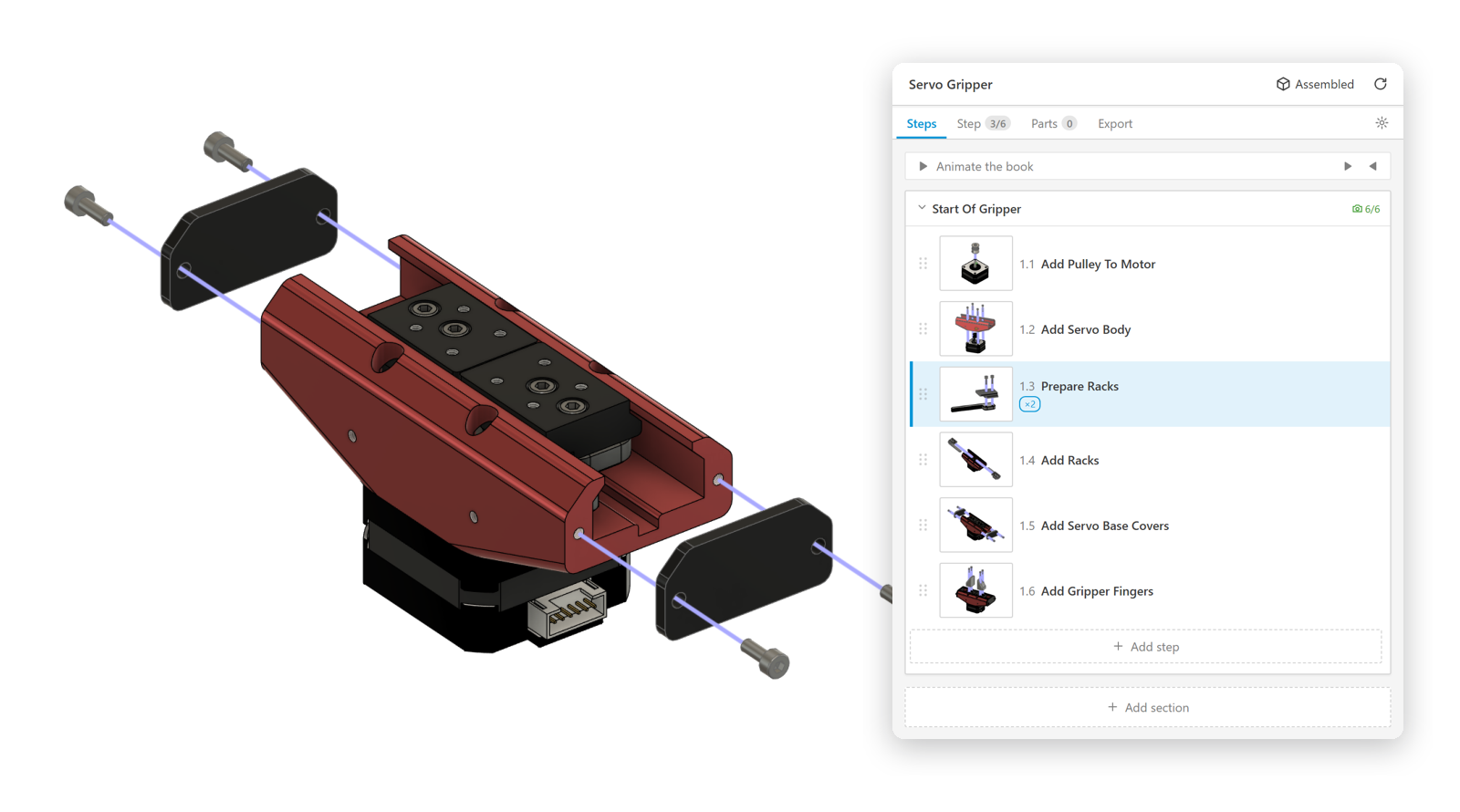
Make step-by-step build manuals directly inside Autodesk Fusion. Organise your assembly into sections and steps, explode the parts with trail lines, annotate each picture, and export PNGs, a complete PDF manual with parts lists, or an assembly video. Every build guide on this site is made with it.
Getting Started
Install
Download the Windows installer or the zip for Mac, and add BuildBook to Fusion in about 5 minutes.
Getting Started
Make your first build manual: add a step, pick its parts, explode them, frame the shot and export.
User Guide
Every tab and option explained: steps, explode moves, annotations, the PDF manual, videos and settings.
What You Get
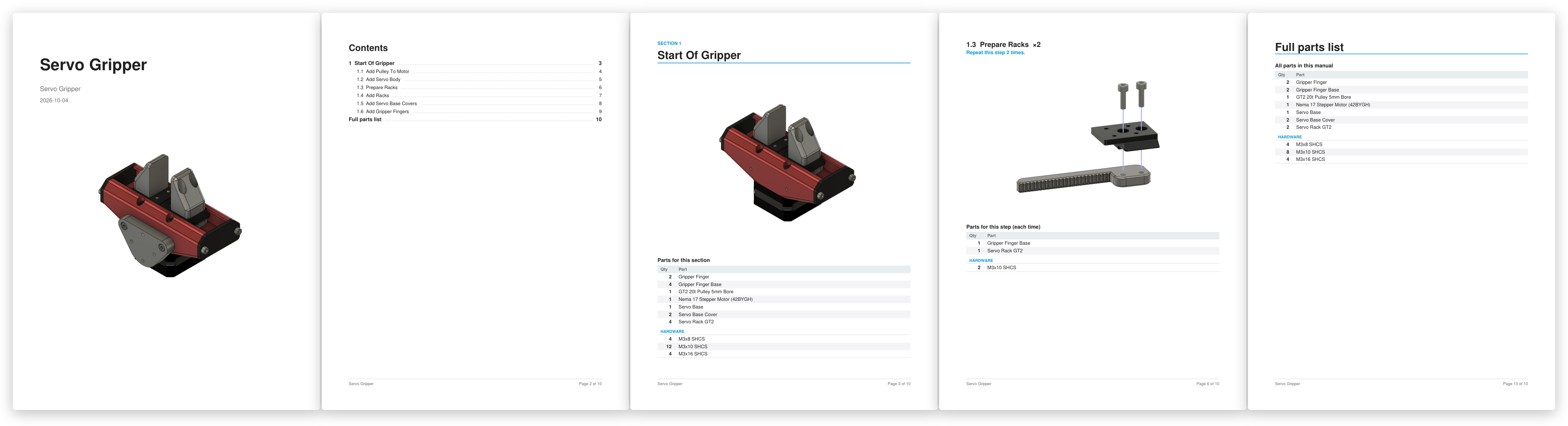
A PDF manual straight out of Fusion: a cover with contents, a page per section, every step with its notes, picture and parts, and the full parts list with hardware listed separately. This is the Servo Gripper manual.
Features
Build Manuals
Sections and steps, drag to reorder
Repeat counts and preparation steps
Exploded views with trail lines
Arrows, notes and numbered callouts
Parts
Pictures in every list
Short hardware names (M3x12 SHCS)
Export
PNG per step, any crop ratio
PDF manual with parts lists
MP4 assembly videos (FFmpeg)
Staying Correct
Flags stale pictures and new parts when the design changes
Explode distances can be Fusion parameters
Runs In
Autodesk Fusion (Windows or macOS)
Your Data
The manual is stored inside your design
Nothing leaves your computer
Licence
Free and open source (MIT, on GitHub)